Kevin Jose's logo menu close button
HOME ABOUT PROJECTS JOURNEY CONTACT RESUME
Kevin Jose's logo menu hamburger button

PROJECT QUICLICK

An Application Concept for Efficient Management and Sharing of Photos of Live Events

PROJECT DETAILS

Personal Project
User Experience Design

PROJECT DURATION

4 weeks, October 2023

BACKGROUND

The Challenge of Photo Sharing

As an enthusiastic photographer at events, I constantly find myself capturing joyful moments. A recurring challenge arises post-event: the barrage of requests for photo sharing. The already slow return of professional photos exacerbates this issue. When asked about this, I learned that people wanted the photos/videos as soon as possible to post on their social media platforms. "Why they need to post it there as soon as possible, I have no idea." Filtering out photos of people from my gallery and sending them to each individual was a very tedious manual task until Google Photos made it somewhat easier. But still, it's a hassle to share the album etc. to everyone.

Identifying a Technological Solution

Reflecting on this problem, it's apparent that there is an opportunity for a technological solution that addresses the cumbersome process of personal photo sharing. This solution could streamline and expedite the entire process, benefiting photographers, event participants, and eager social media users alike.
INITIAL RESEARCH

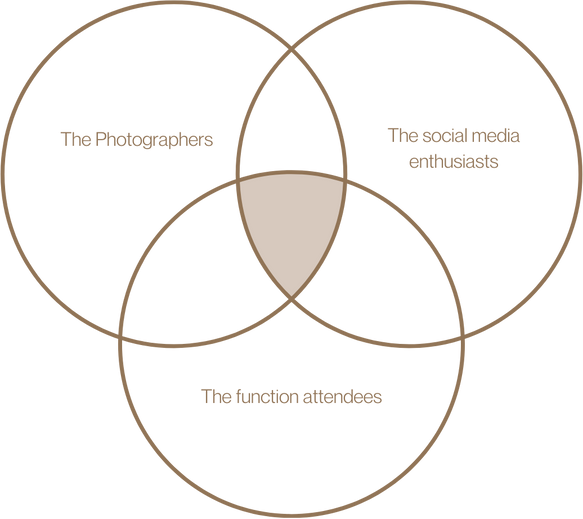
From observational research and brainstorming, identified three user groups as shown below.

a venn diagram representing users

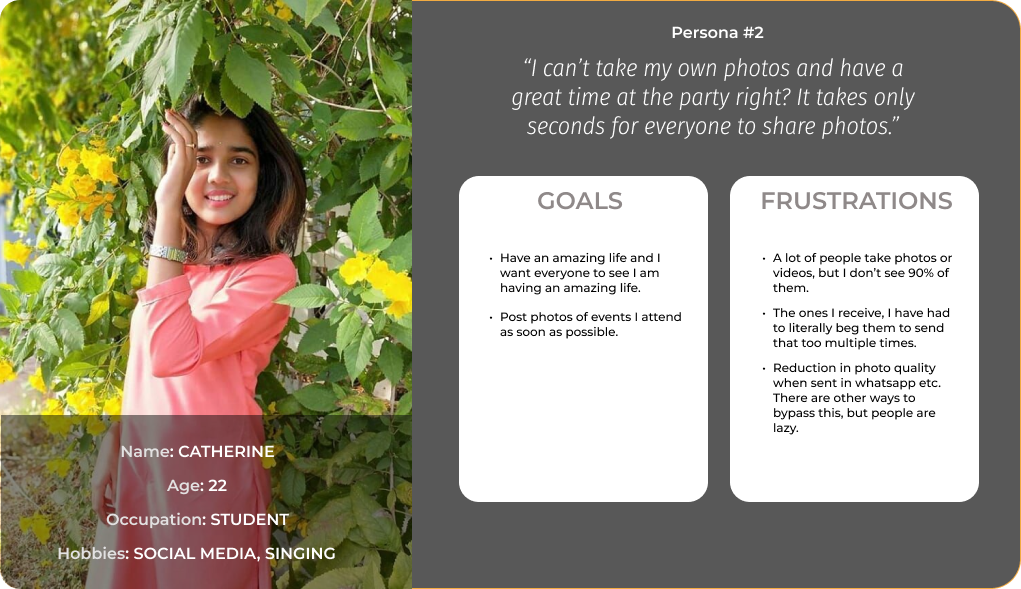
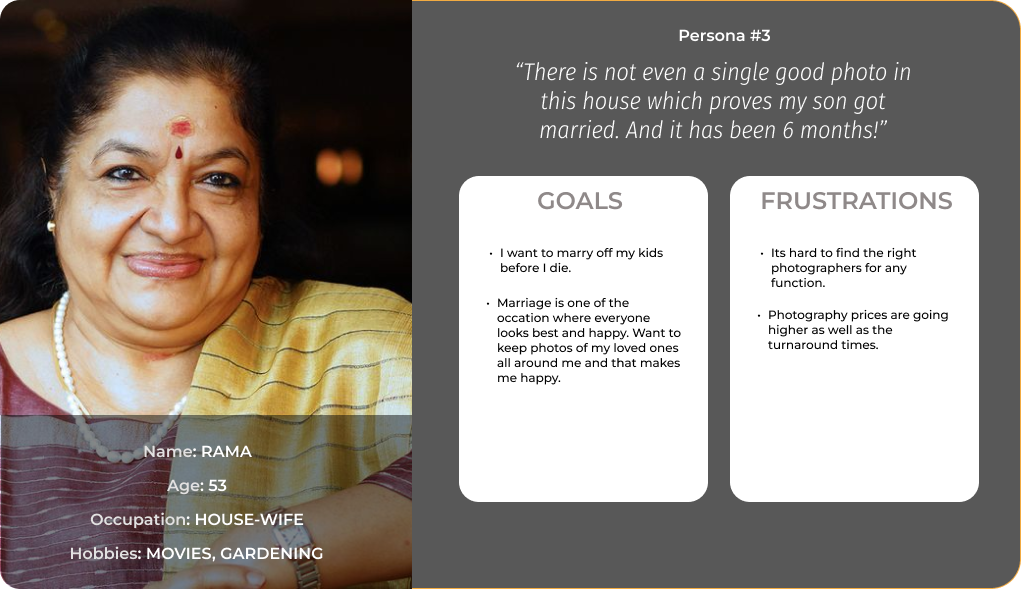
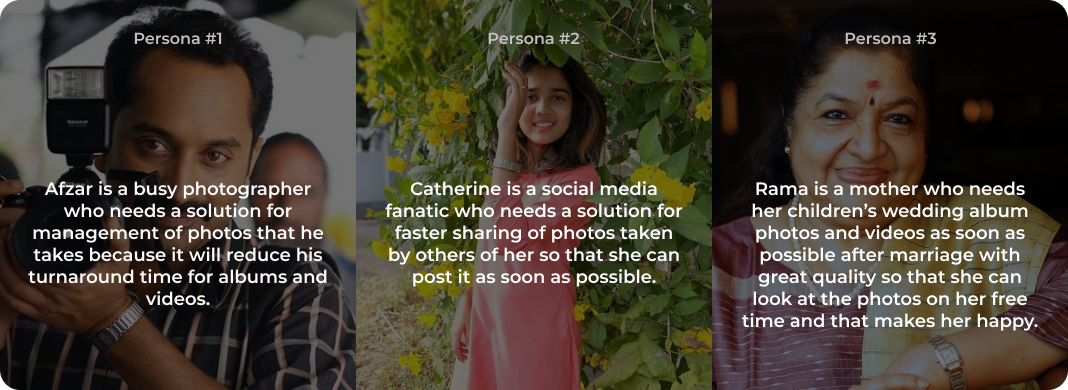
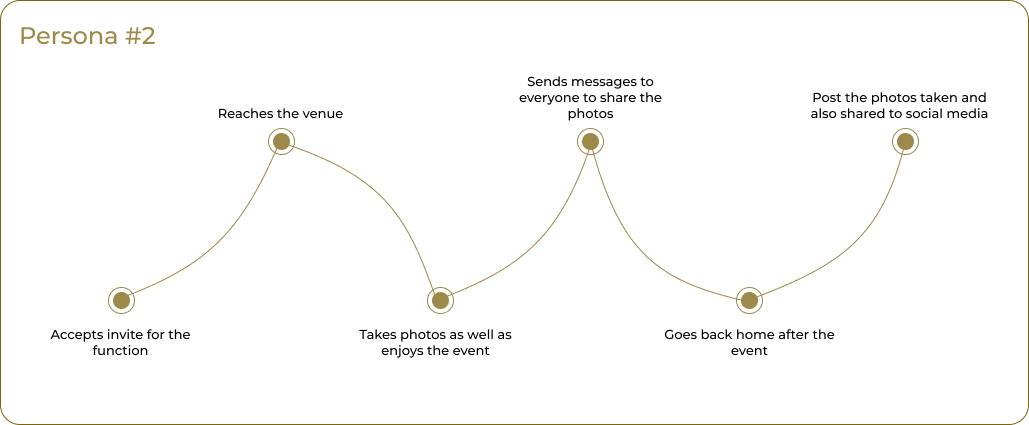
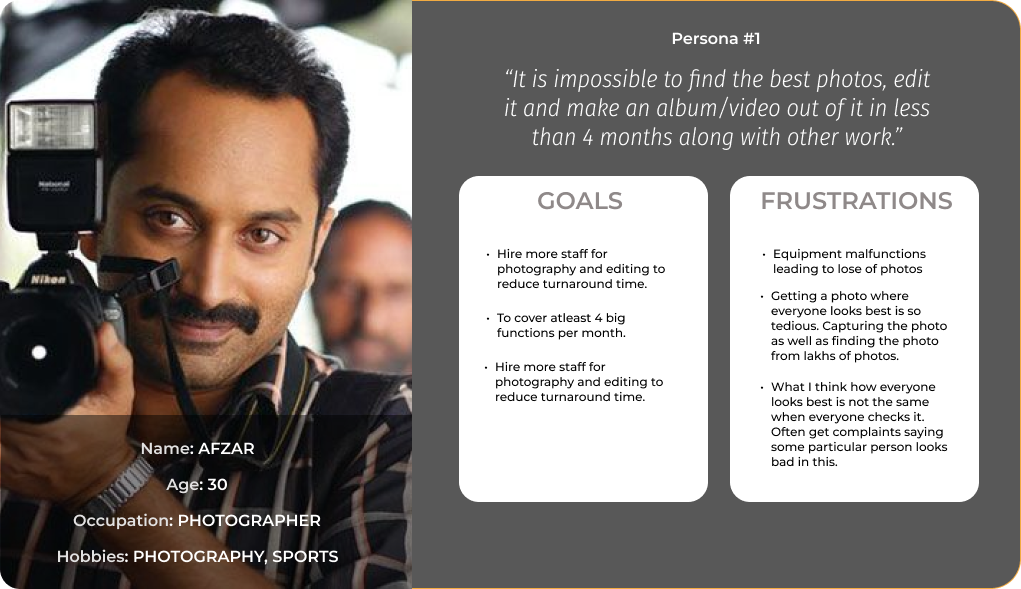
In the initial phase of the research, I conducted phone and in-person interviews with a diverse group of participants. This included nine wedding photographers, each affiliated with a different studio, along with five newly-married couples, and eight family members from these couples. This approach was designed to ensure representation across all relevant categories. From the discussions about their problems, three distinct user personas were identified, as follows.

user persona 1 user persona 2 user persona 3

User personas

PROBLEM STATEMENTS

Based on the user personas, three problem statements of similar nature was identified. They are illustrated below.

user problem statement

User problem statements for each personas

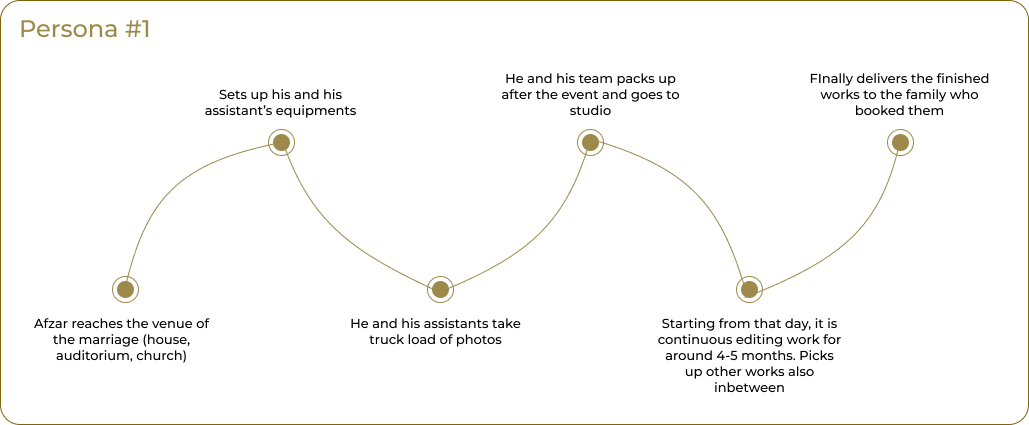
USER JOURNEY

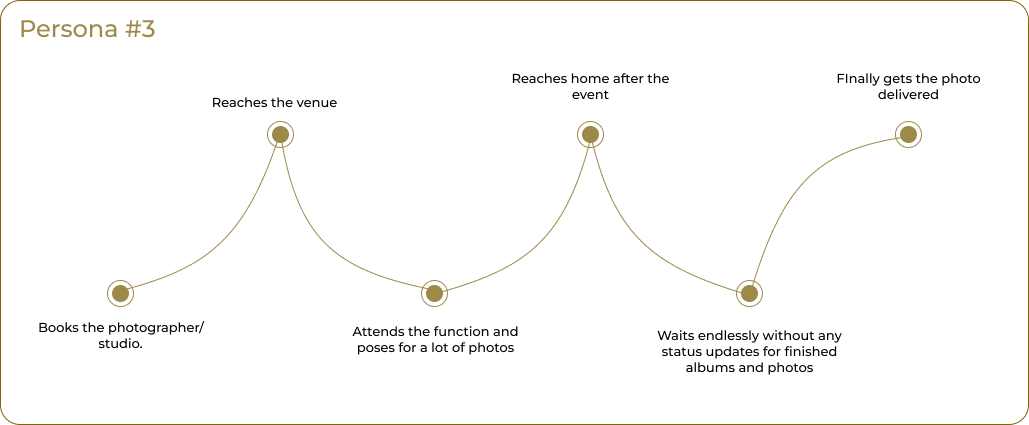
user journey for persona 1 user journey for persona 2 user journey for persona 3

User journey of each user. Note that even though the users attend same functions, the user journeys are quite different

PAIN POINTS

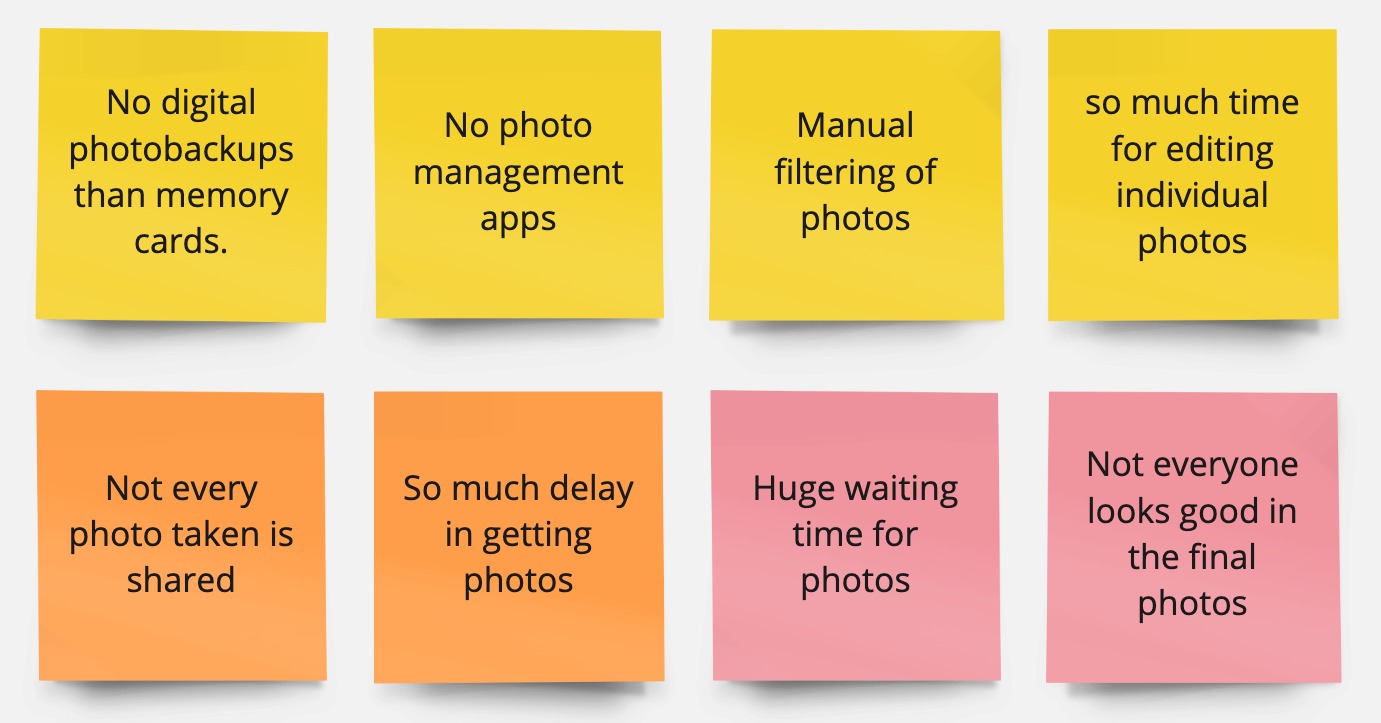
These are the main pain points identified from the above user journeys and interviews.

pain points identified from user persona

PROTOTYPING

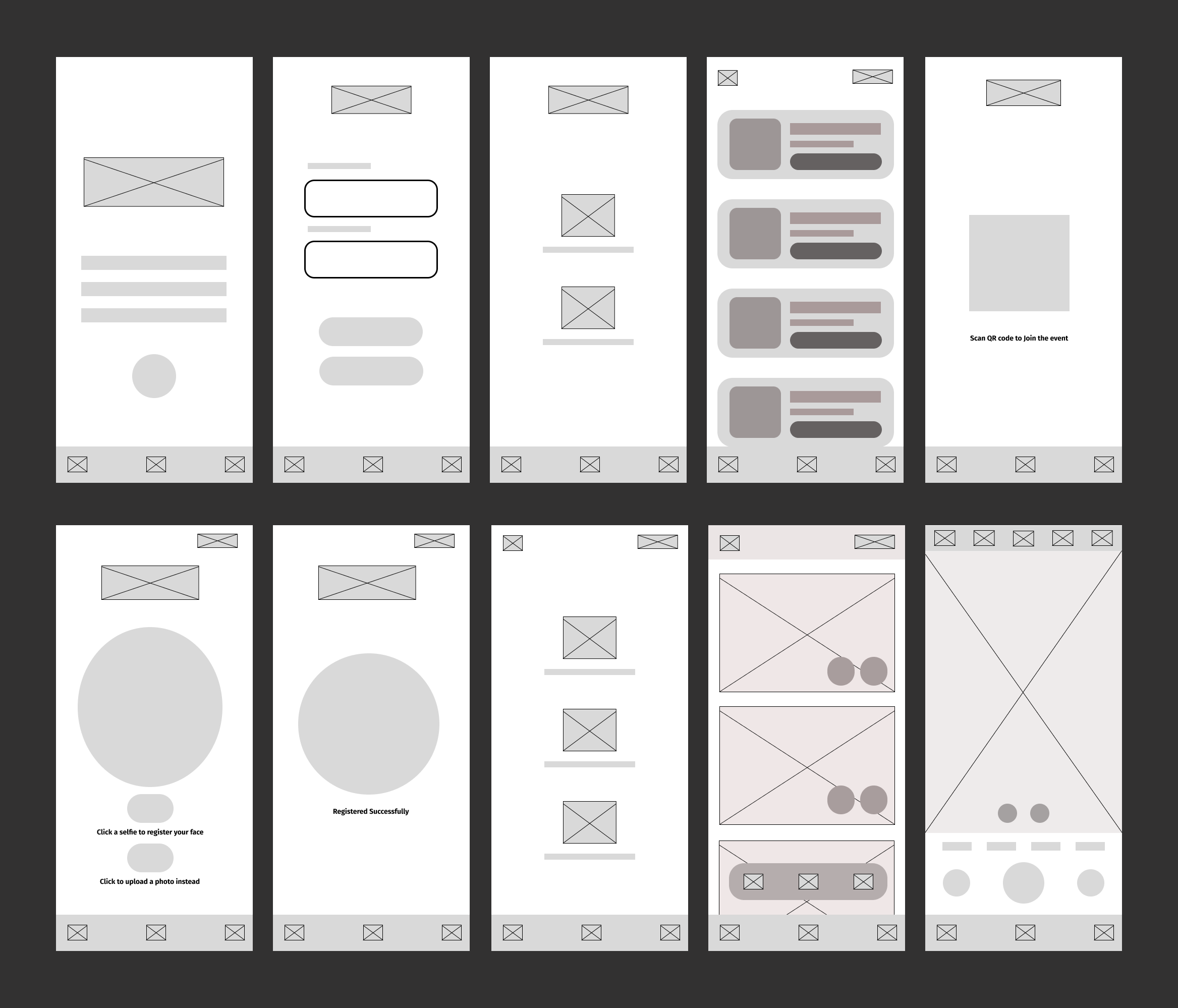
WIREFRAMES

initial wireframes

HIGH FIDELITY PROTOTYPES

a prototype for home screen

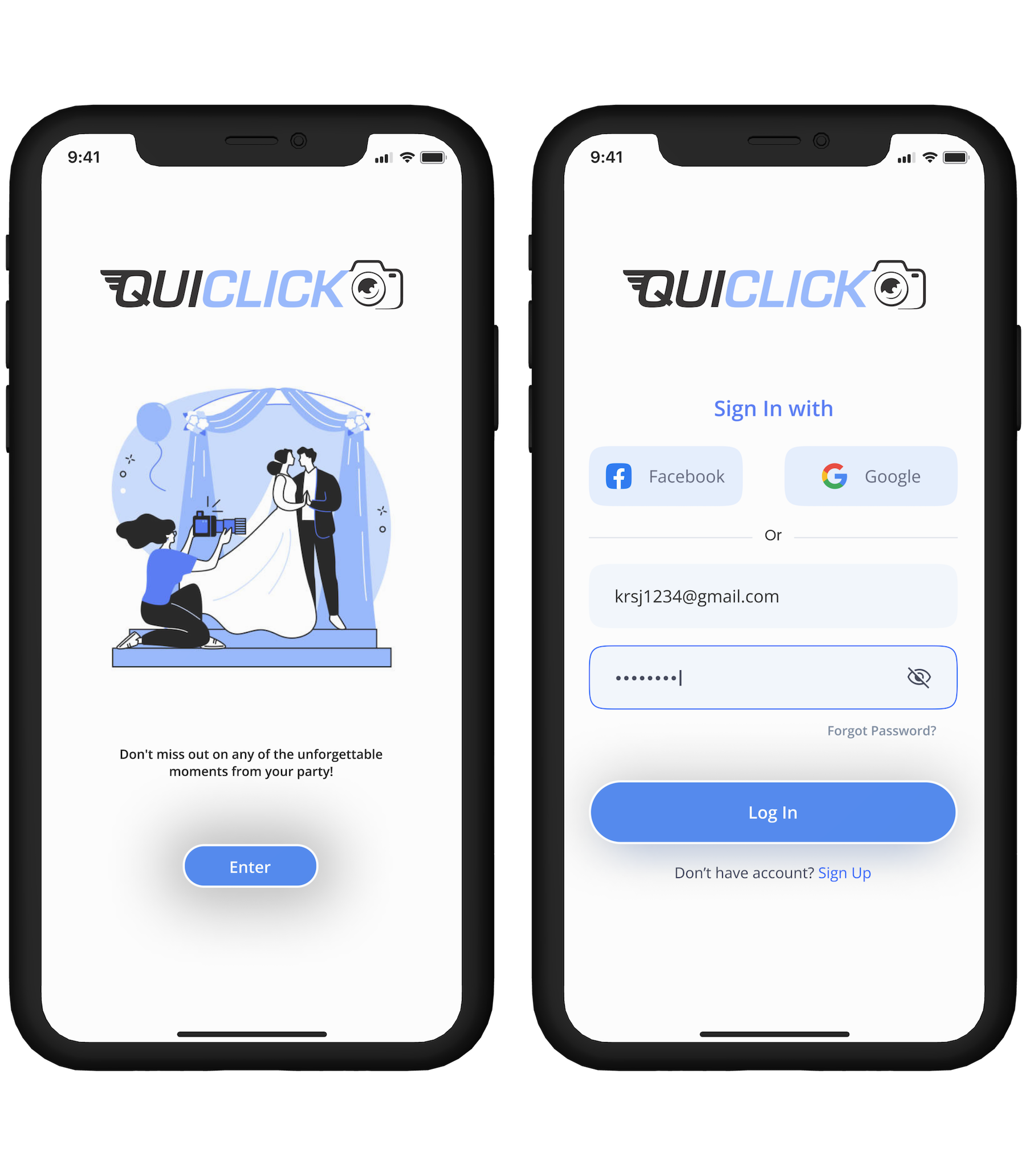
Welcome Screen: This is a simple welcome screen that offers an overview of the app's purpose and displays the 'Quiclick' logo. Considering the app's straightforward nature, I decided against including any guided tours or animations to explain its functionality.

Login Screen: Leveraging the versatility of Auth0, I've enabled users to log in using their email and password or through popular third-party services like Google and Facebook. This approach not only simplifies the login process but also aligns with Auth0's robust security and user authentication practices, ensuring a seamless and secure user experience.

a prototype for home screen

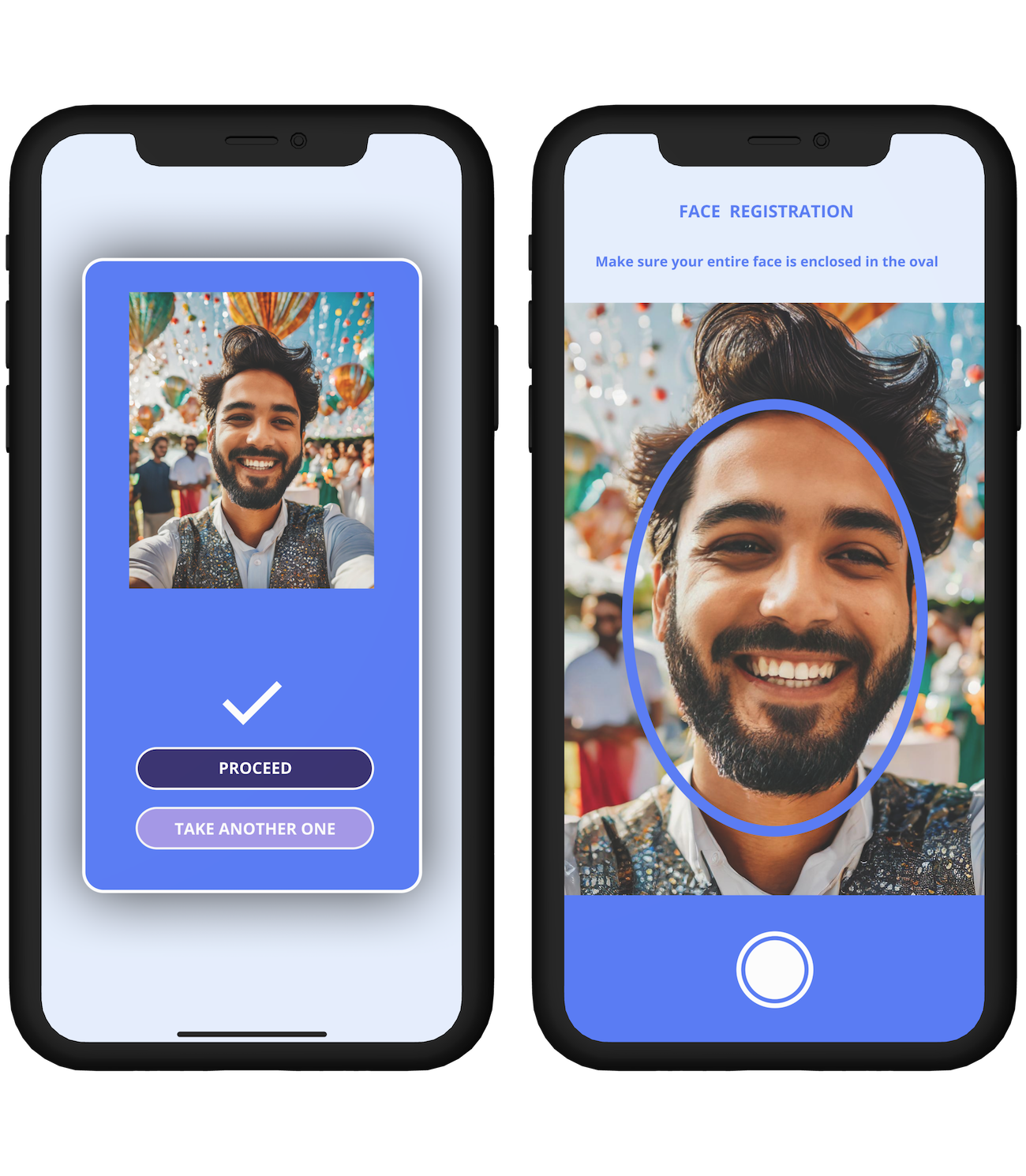
Face Registration: This step is essential for ensuring security. Users are required to take a live selfie, which is used for facial recognition within photos taken by others at the event. The inclusion of an oval guide helps ensure the user's entire face is accurately captured.

a prototype for home screen

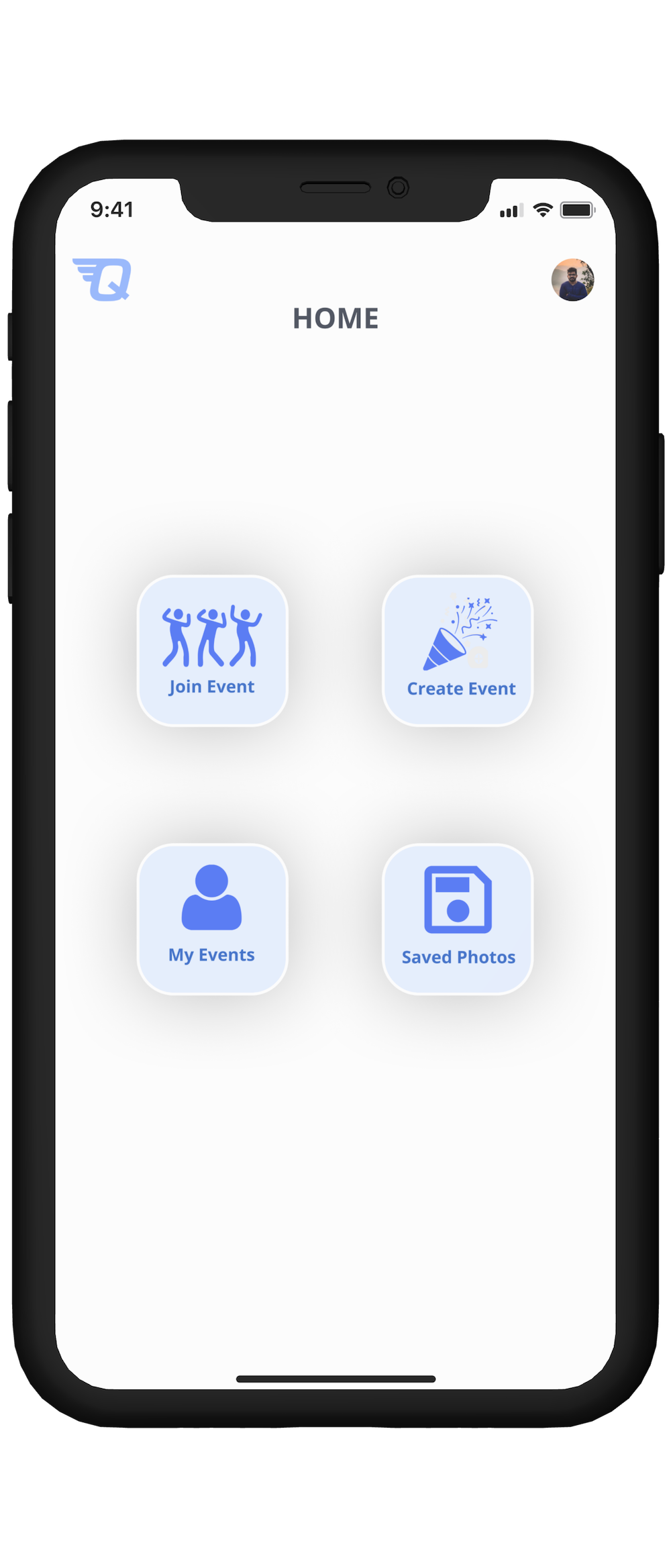
Home Screen: This is the home screen of the App. Its very simple and intuitive. Users have 4 options from here.

  • Join Event: Join any event, created by anyone through this.
  • Create Event: Users can create/host their own events. They can customise the event with photo, title, location, date and time.
  • My Events: This section displays all events the user has participated in, including those they have hosted or are currently hosting, as well as events they have joined that were hosted by others.
  • Saved Photos: These are the photos from various events the user has saved. It also contains photos taken by the user.
a prototype for home screen

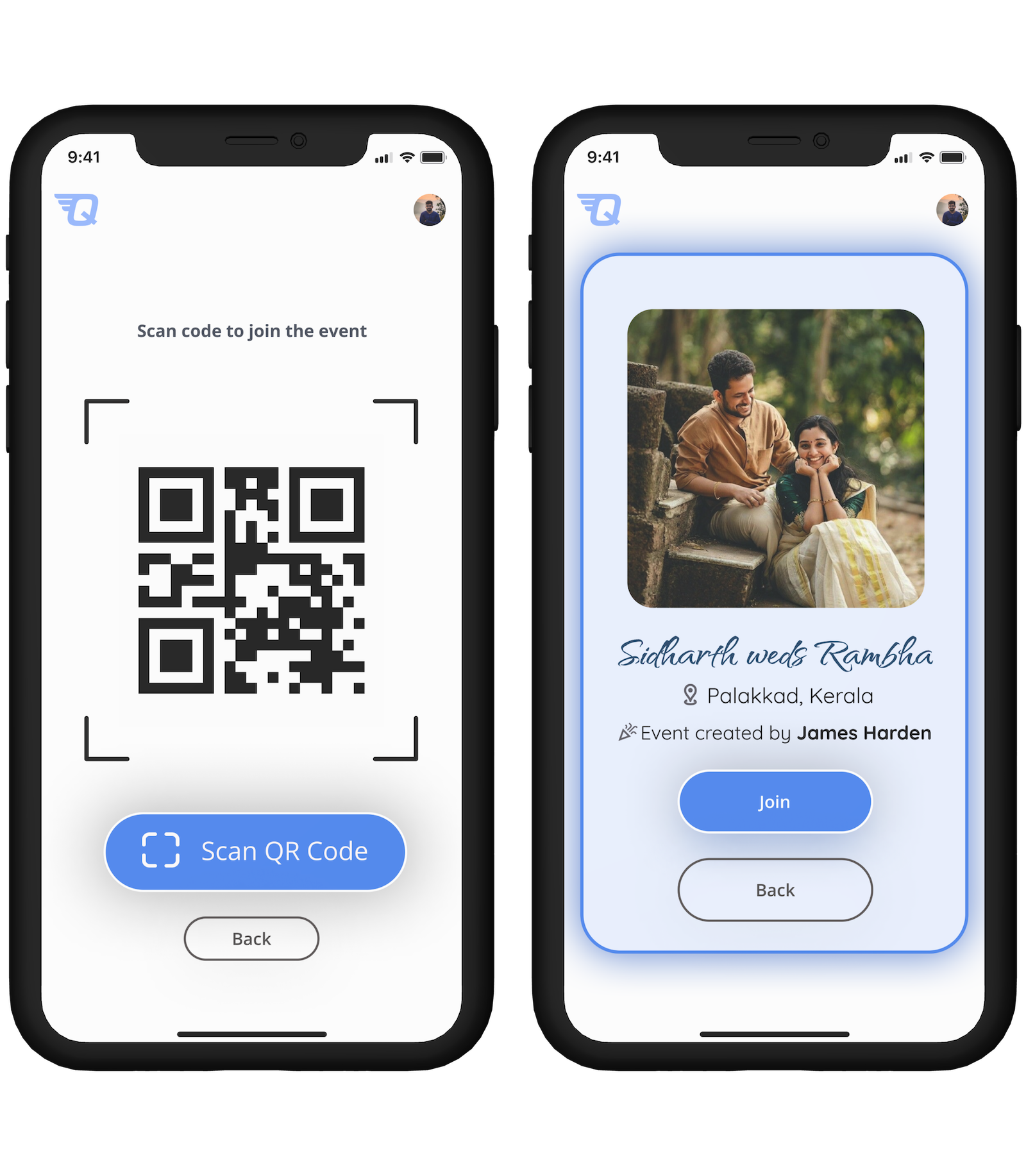
Joining the Event: The exclusive method for participating in a live event is by scanning a QR code, which is provided at the event's venue. This approach introduces a level of security, preventing individuals not associated with the event from joining. Enhancing this security could involve implementing geofencing-like technologies, requiring users to be near the venue. Alternatively, requiring participants to connect to the same Wi-Fi network at the venue was another option considered.

a prototype for home screen

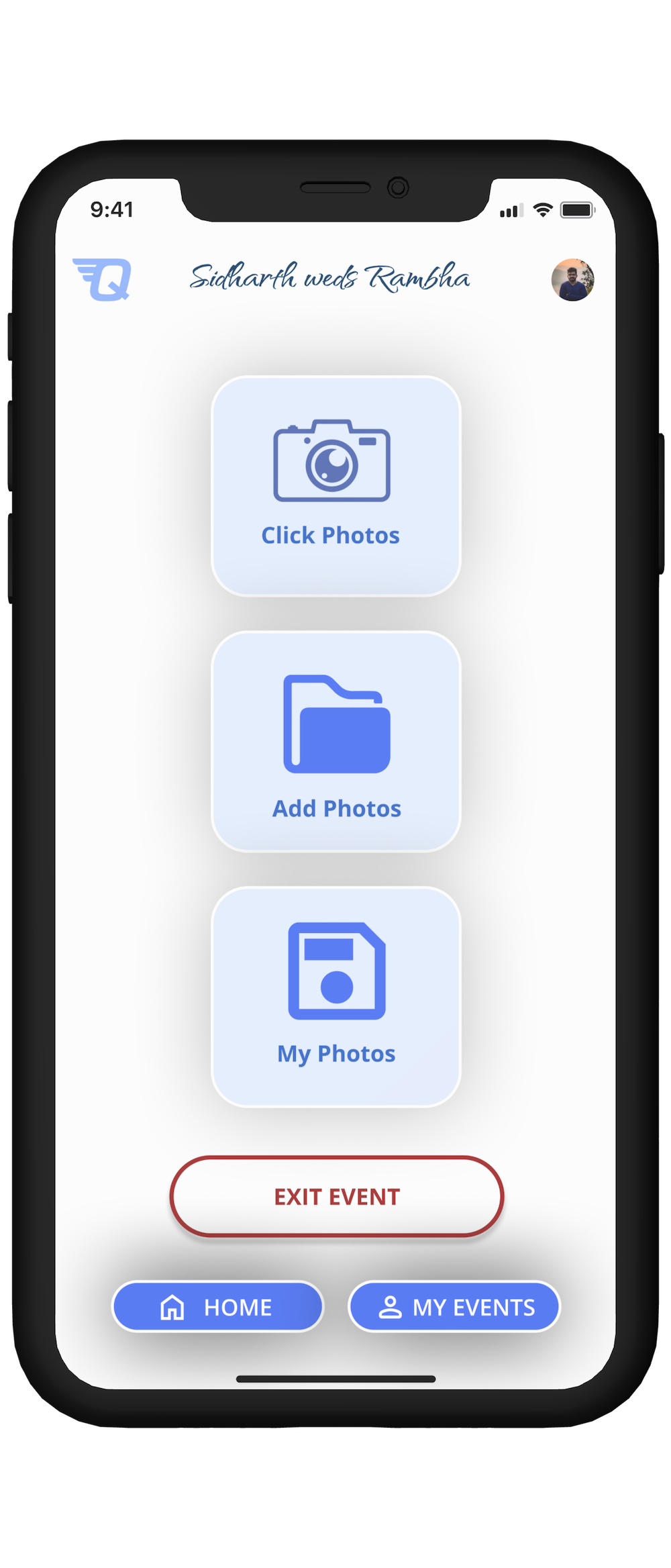
Event Home Screen: This screen presents users with three primary actions:

  • Click Photos: Users can take photos directly using their phone's camera app. Photos captured in this manner are automatically uploaded to the event's main photo pool. Duplicates are filtered out during backend processing for efficiency.
  • Add Photos: Users can also upload photos from their gallery, particularly useful if they inadvertently took pictures using the phone's native camera app instead of the event's app. This feature allows for the inclusion of these photos in the event's collection.
  • My Photos: This feature displays all the photos associated with the event, allowing users to browse through the shared photo pool.

Beyond these options, there's a button to exit the event for users who wish to leave, as well as navigation buttons to return to the main home page or access the "My Events" page. The inclusion of a home page link is standard, while the "My Events" link was added based on survey feedback indicating a user desire for quick access to past event photos.

a prototype for home screen

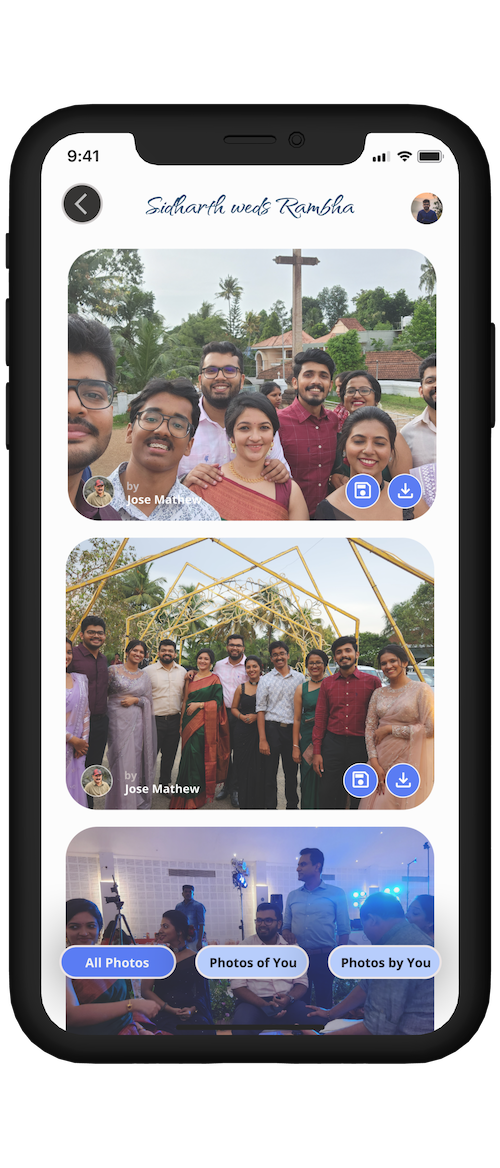
My Photos Page: This page provides access to the event's collective photo pool, featuring images captured both by the user and by others. Users can apply filters to view only their own photos or those taken by other attendees. Each photo includes information about who captured it. Additionally, two key functionalities are provided:

  • Save Button: This allows users to save selected photos within the app, ensuring they remain accessible even if the event is later deleted by the host.
  • Download Button: This enables users to download photos directly to their devices for personal use.
a prototype for home screen

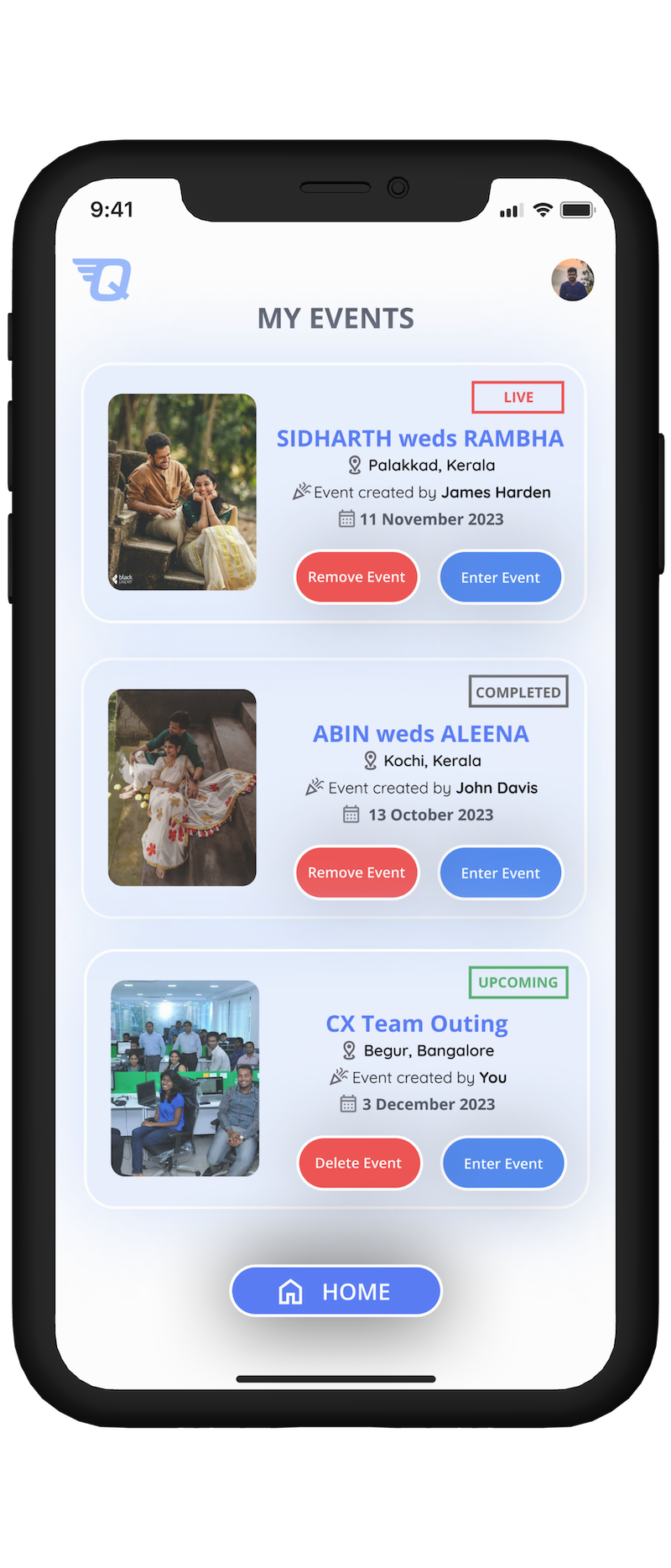
My Events Page: This page displays a list of all the events the user has participated in.

The events are categorized into three types, based on their timing:

  • LIVE: Events currently taking place are labeled as 'LIVE'.
  • COMPLETED: Past events the user has attended are marked as 'COMPLETED'. Access to the photo pool for these events remains available.
  • EXPIRED: Events are considered 'EXPIRED' once the host deletes them. Participants will receive a notification about the deletion and will have 14 days to save their desired photos. After this period, the photo pool will no longer be accessible, except for the photos that have been saved.

FUTURE ENHANCEMENTS

  • Originally conceived as a technical endeavor, this project also served as a platform for refining my UX/UI design skills, leveraging insights from a recent Coursera course.
  • My next step is to transition this project into a tangible mobile application, marking my foray into Android mobile development—a venture I've been contemplating for quite some time.
  • I aim to evolve this project into a comprehensive photo management application, designed to meet the needs of professional photographers as well.

KEY LEARNINGS

  • Through this project, I extensively honed my skills in utilizing Figma plugins and FigJam, exploring their full potential.
  • The project turned into an insightful journey with each user interview unveiling new challenges. A standout revelation was the photographers' struggle with extended turnaround times, often dealing with over 400,000 photos for a single wedding. The daunting task of selecting and editing the best shots highlighted a significant opportunity for my app. By integrating computer vision algorithms, the app could automate the removal of duplicates and poor-quality images, and even recommend the best shots to photographers. This underscored the importance of active listening and asking open-ended questions to uncover deeper insights.

Thank You

Back to top
BACK TO TOP
back to projects
BACK

Designed and Developed From Scratch By Me, Of Course!

Copyright © Kevin Jose
linkedIn profile Github profile

Found a bug? Feel free to drop a message, or even better, raise an issue on my repo by clicking here!